Create an Installation
In sudoSignals, an installation acts like a folder and can group and contain multiple machines.
Open the sudoSignals Dashboard
Start by heading to the sudoSignals dashboard at dashboard.sudosignals.com
Create an Installation
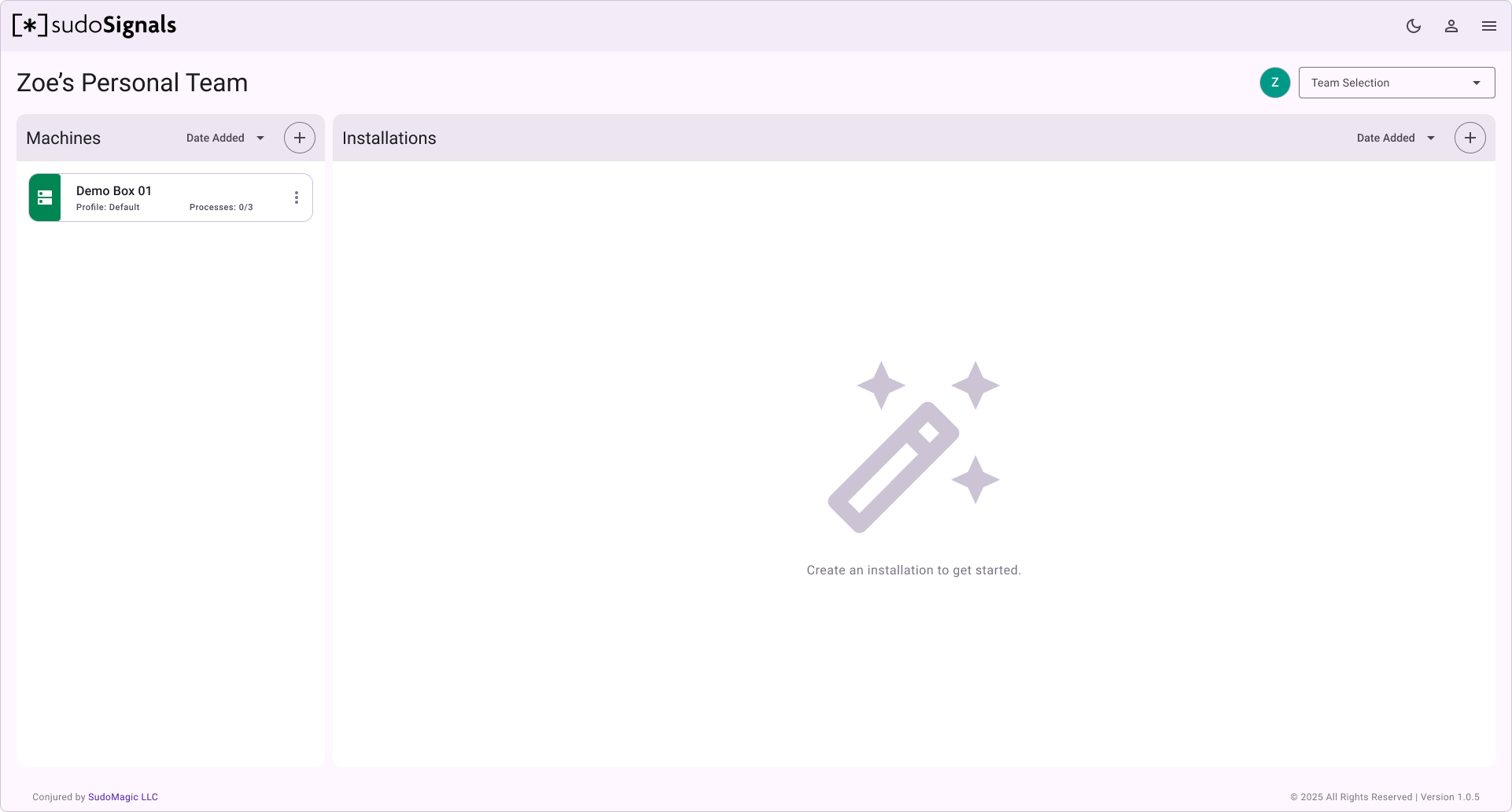
Create an installation using the + button in the right panel.
Name the Installation
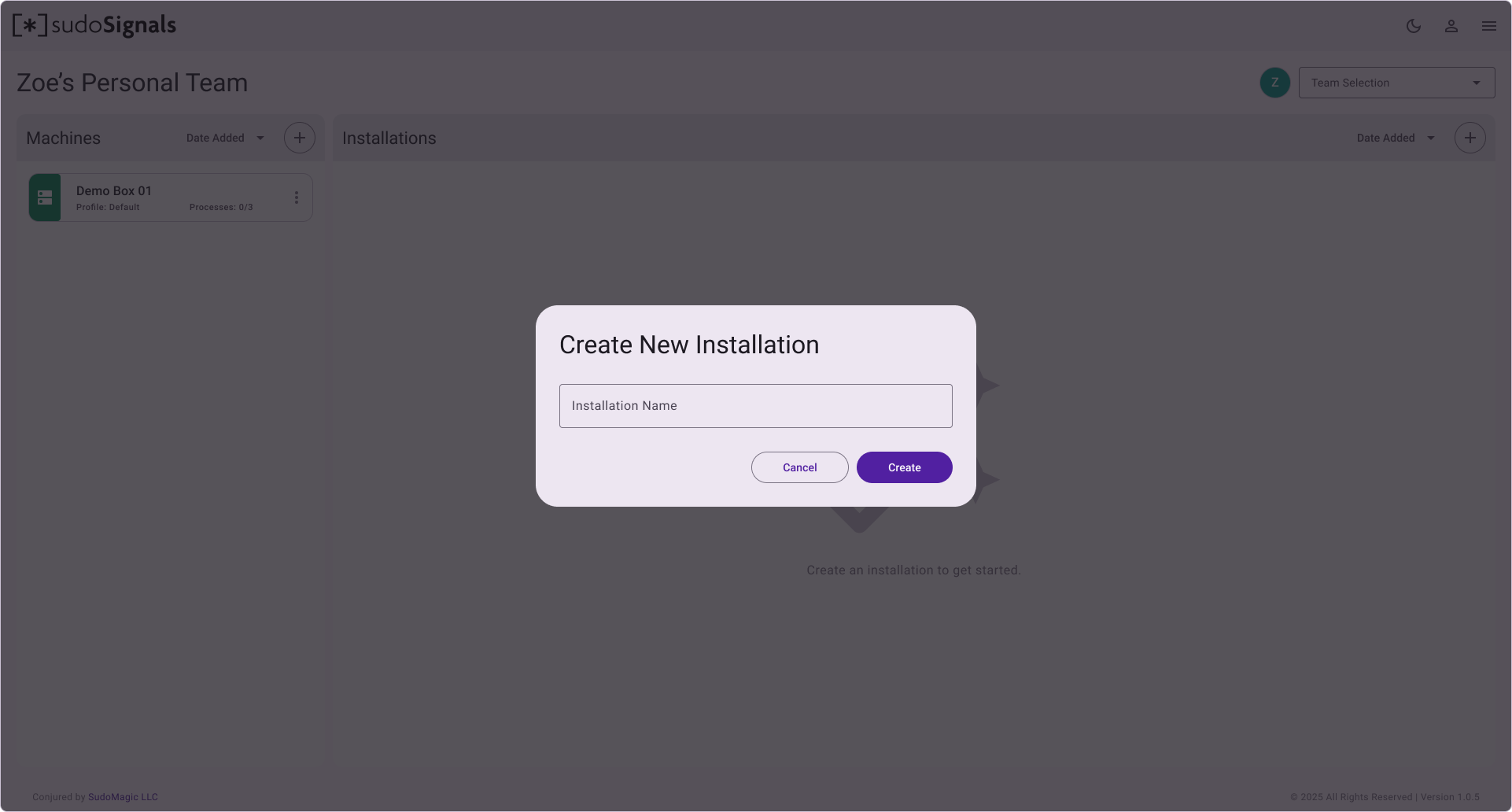
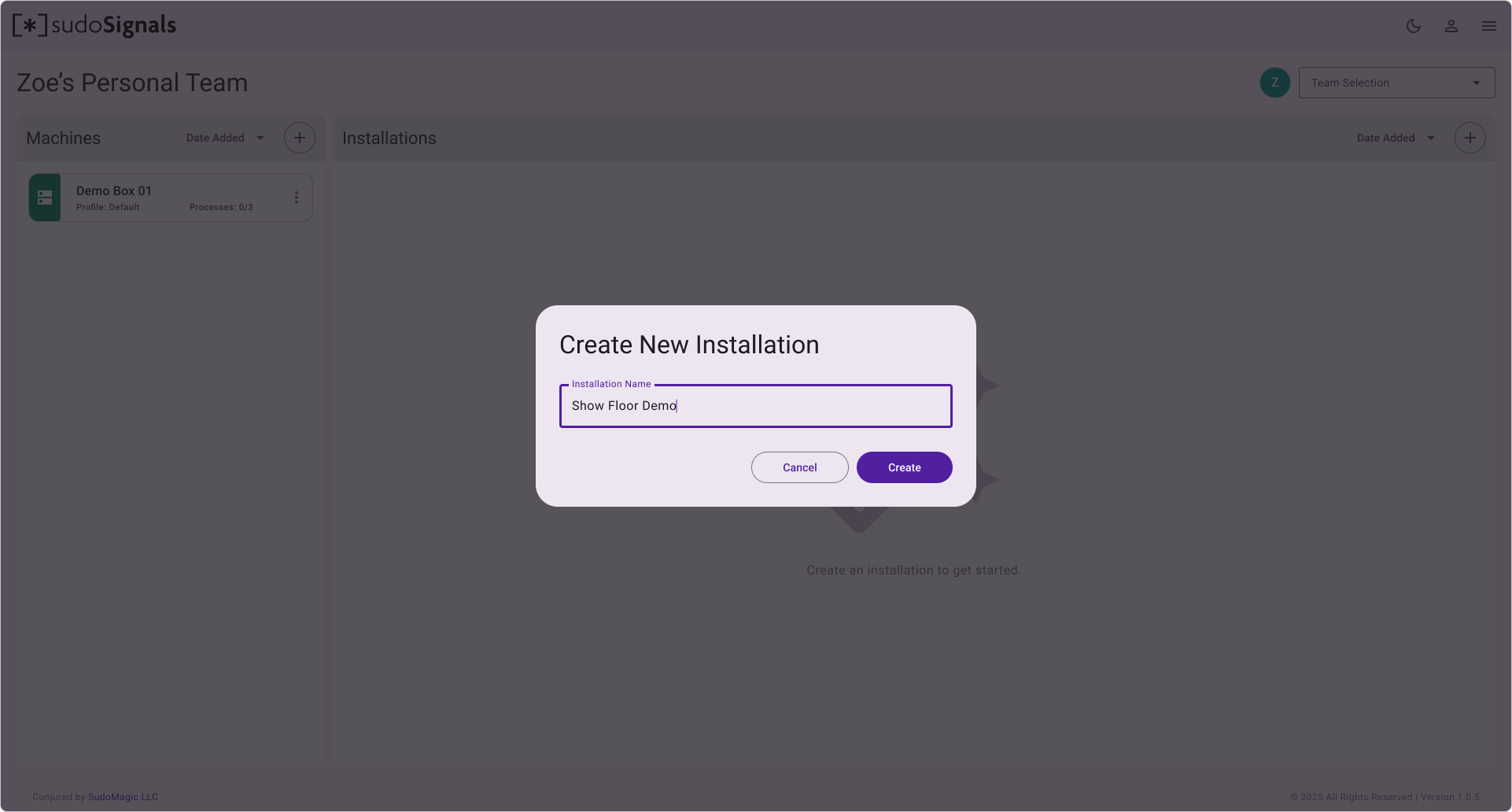
Enter a descriptive name for your installation and the click Create.
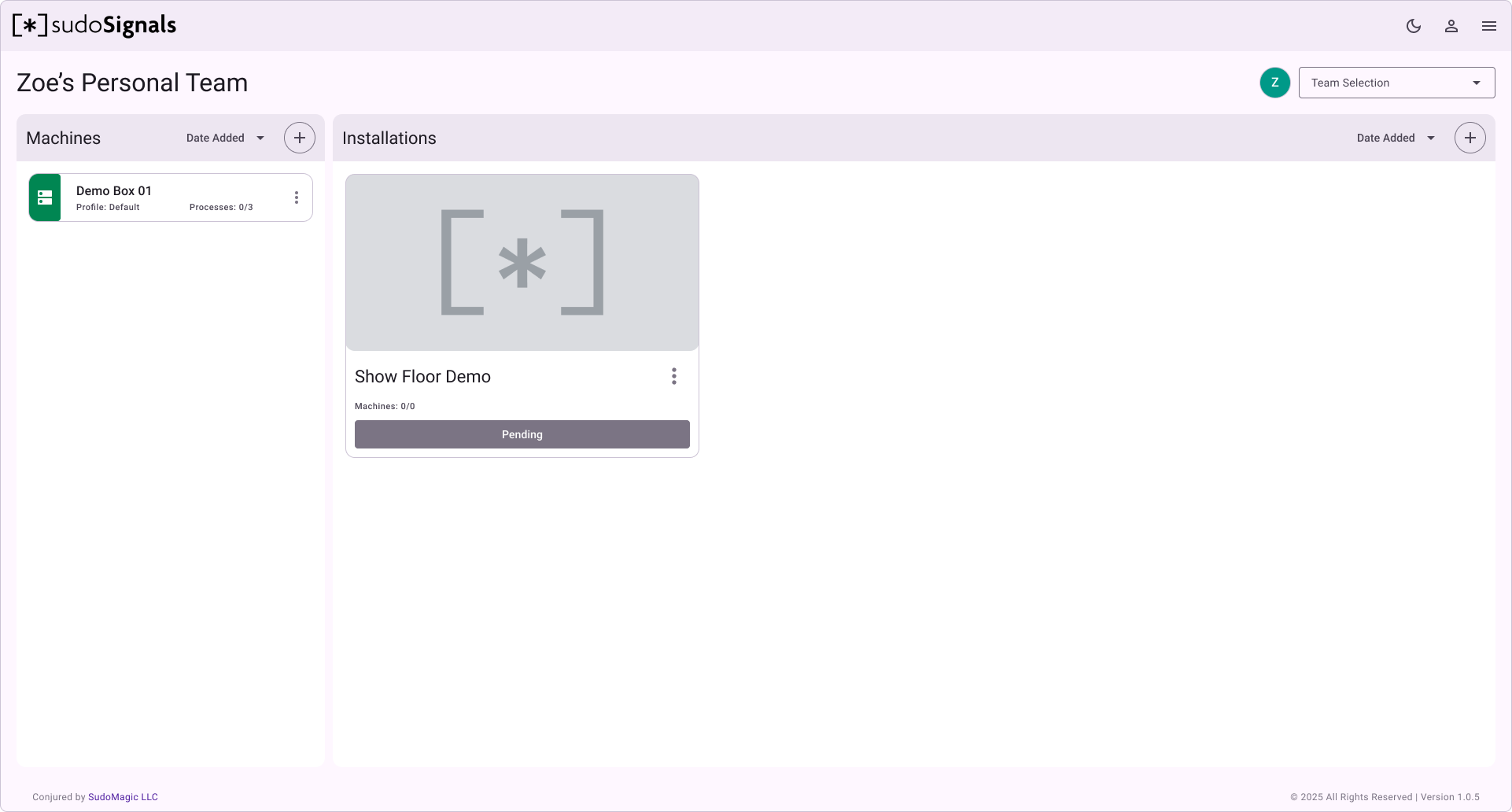
After creating your installation, you'll be directed back to your dashboard where you can see a card with all of the at-a-glance details for your installation.